003
DeepSee: supplier search re-imagined.
Projects
DeepSee: supplier search re-imagined.
Scoutbee is a supplier discovery platform helping enterprises identify and evaluate vendors. Despite its technical strength, the search process was fragmented and hard to navigate. DeepSee set out to transform this complexity into a unified, insight driven experience.
Year
Client
Scoutbee
Role
Senior product Designer
(Impact)
Positive testimonials
We were able to reduce the hours we spent by approximately 85%, screened 80% more suppliers and achieved significant cost savings. What used to take several months, takes weeks now, and the results are very impressive.
Thomas Daffner,
Procurement head static at Linde Engineering
UXD awards nomination
Our design for scoutbee was nominated for the UX design Awards, assigned by the International Design Center Berlin (IDZ).
(Problem)
Purchasers could not consistently access supplier information to make informed procurement decisions.
They often struggled with:
Fragmented search and analysis steps
Dense, unreadable data tables
No clear signal of supplier “fit”
Steep learning curve for new users
Purchasers needed speed, trust, and clarity not just more filters.

(Challenge)
Increasing the chances of correct supplier selection in a shorter interval of time.
Supplier scouting spans multiple criteria: pricing, sustainability, certifications, logistics.
Years of incremental growth left Scoutbee’s search scattered across modules, creating:
Inconsistent design patterns
Disjointed workflows
Friction between exploration and execution
(Research & insights)
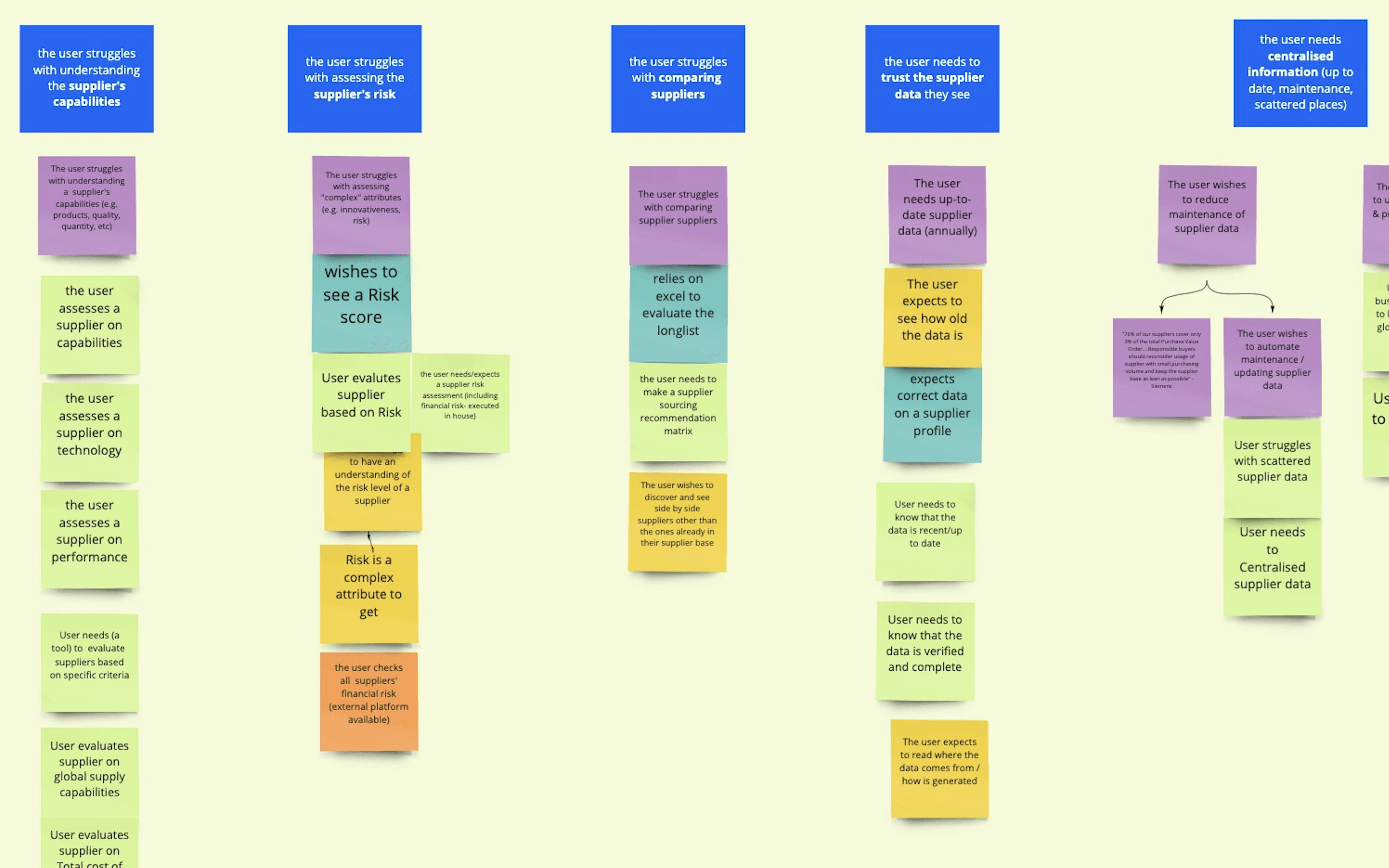
For business reasons, our team had a unique opportunity to build a product from scratch, but we also had knowledge and insights compiled over time from previous iterations of the product.
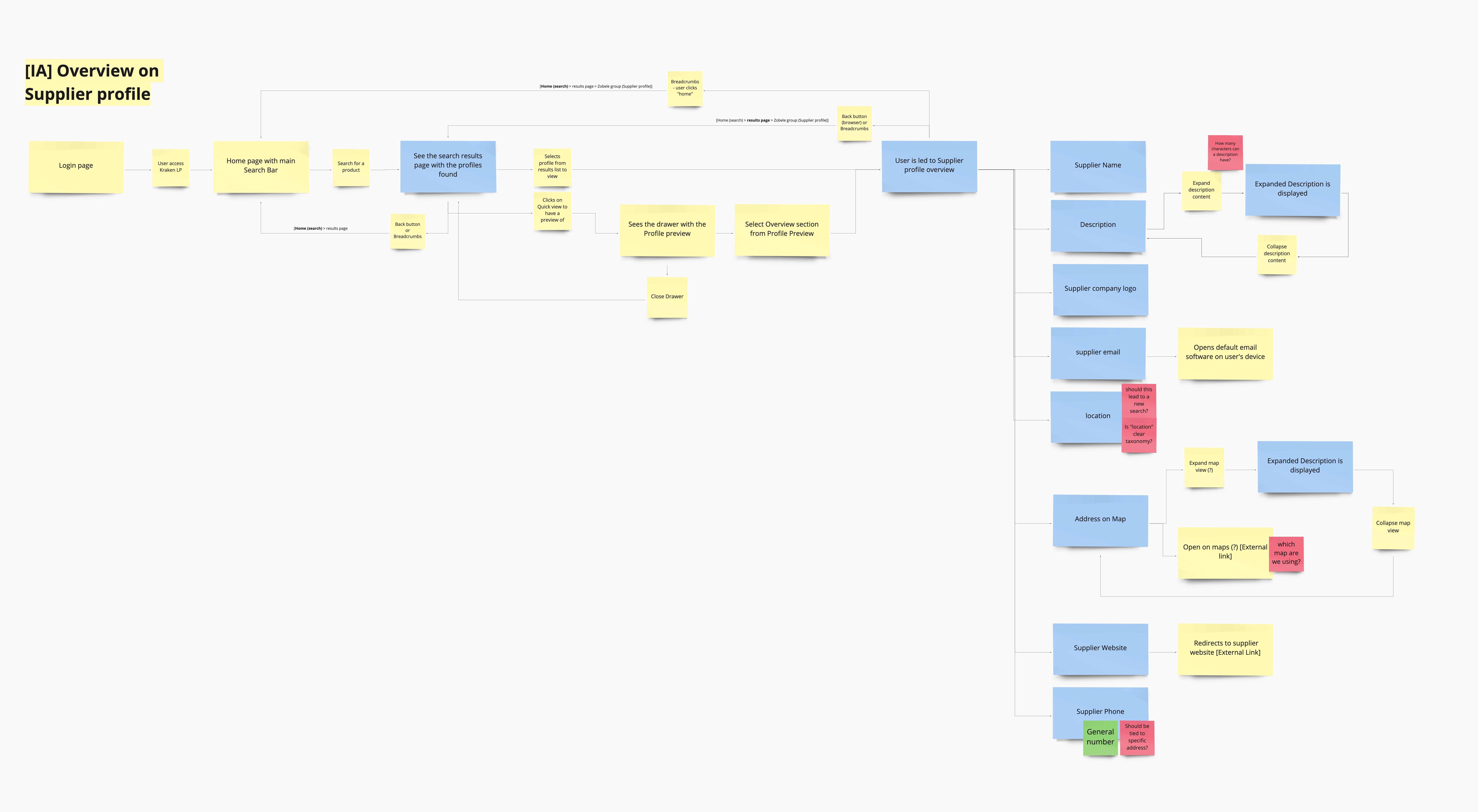
It became important to evaluate our understanding of the problem space, and to discard any old biases. I worked closely with the UX researcher, collaborating on user research by providing hypothesis for interviews, analyzing and synthesizing the collected outcomes into an affinity map.
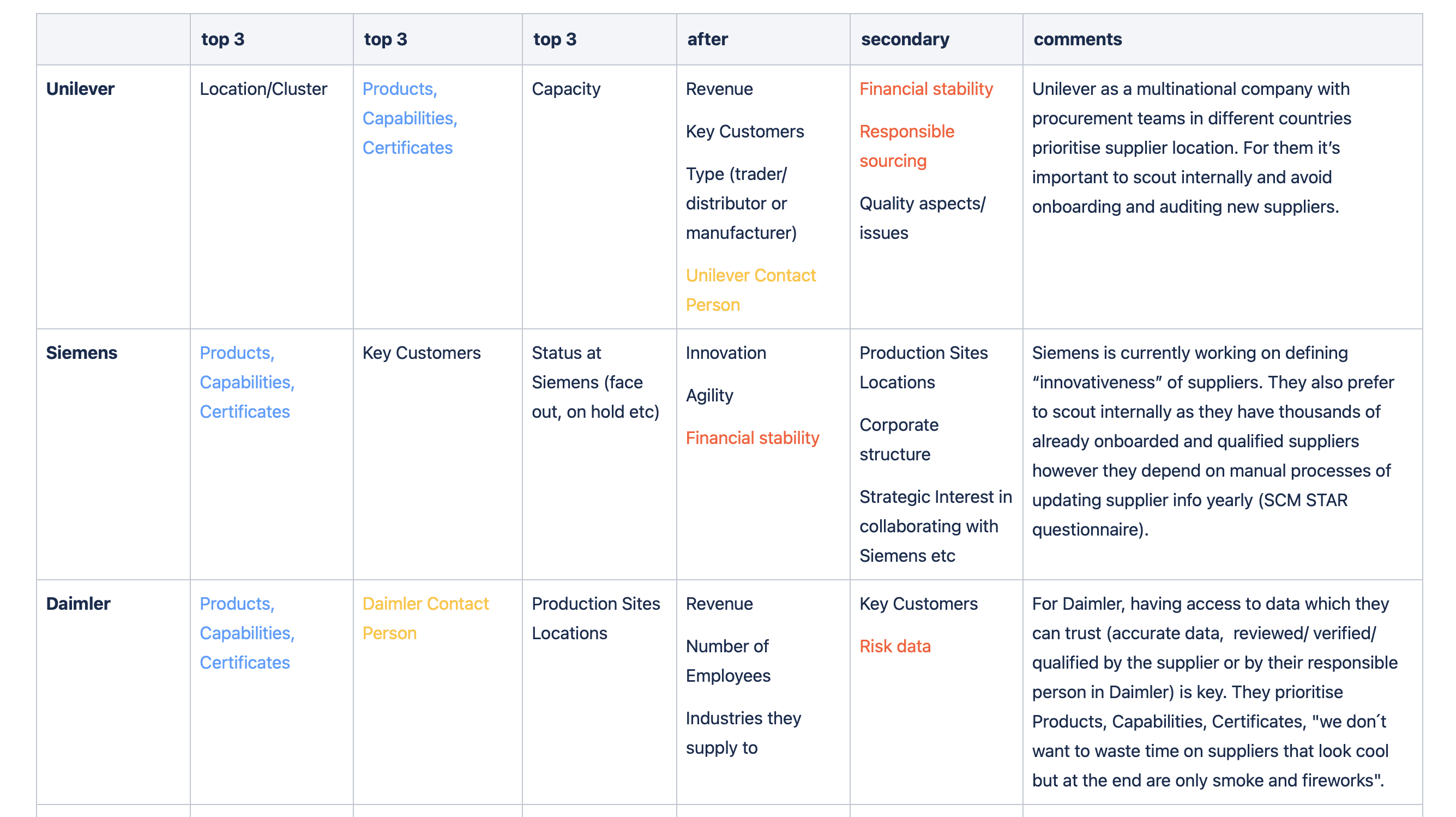
Additionally, we identified patterns revealing the main data points considered critical to purchasers when scouting for new suppliers. We made sure to confirm our findings through value testing.
Key learnings
Purchasers valued having increased visibility on a supplier’s capabilities, products and certificates.
They couldn’t make decisions since they couldn’t verify if the data was still adequate or not.
They wanted to get suggestions for new potential suppliers beyond their own verified databases.
They believed that a single tool which centralizes supplier information and made it searchable is needed in their organization.
(Solution)
Enhanced search experience with detailed prompting.
The main updates revolved around improving and dramatically enhancing the users' search experience from the previous versions.
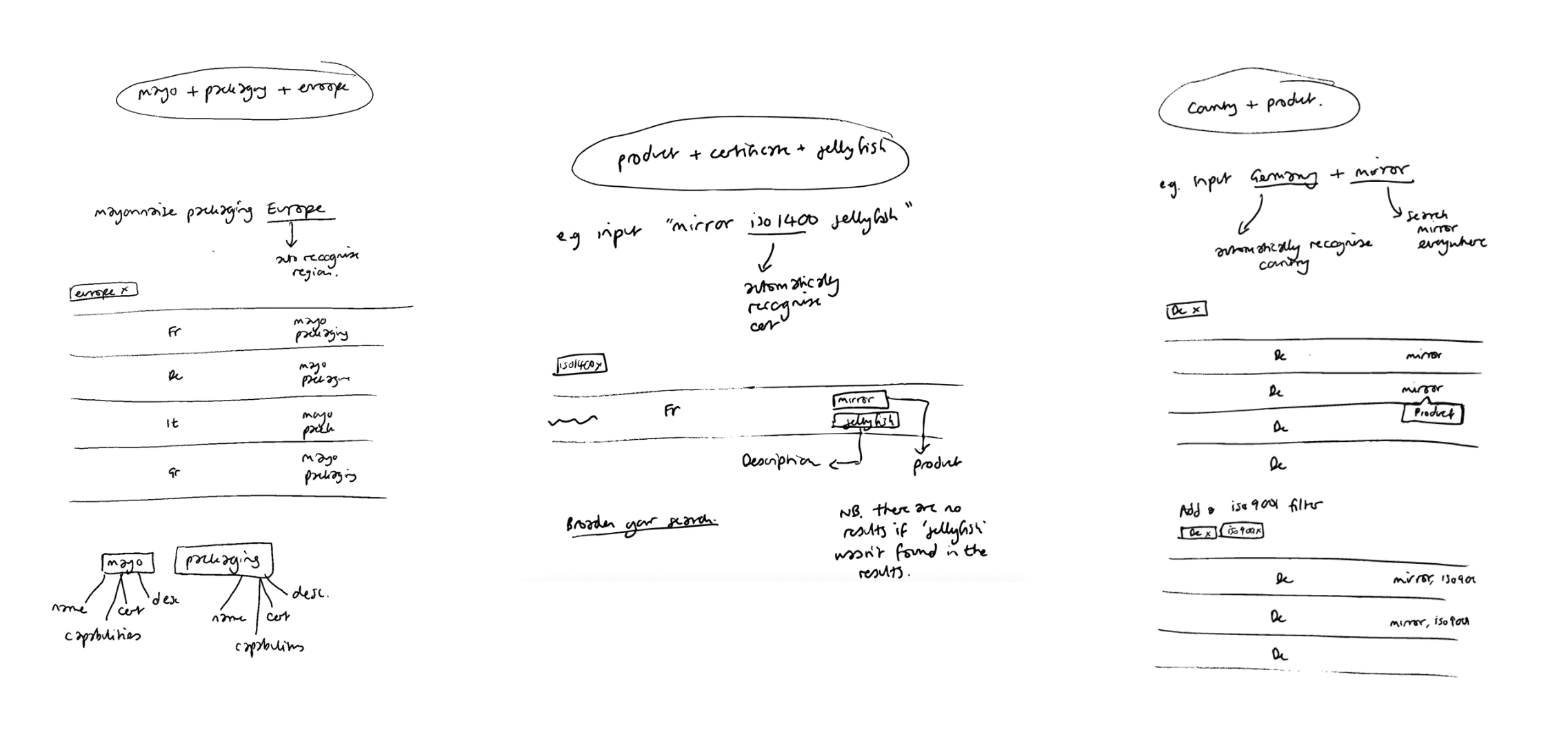
I worked on the search logic along the other designer on my team. I wanted the search to:
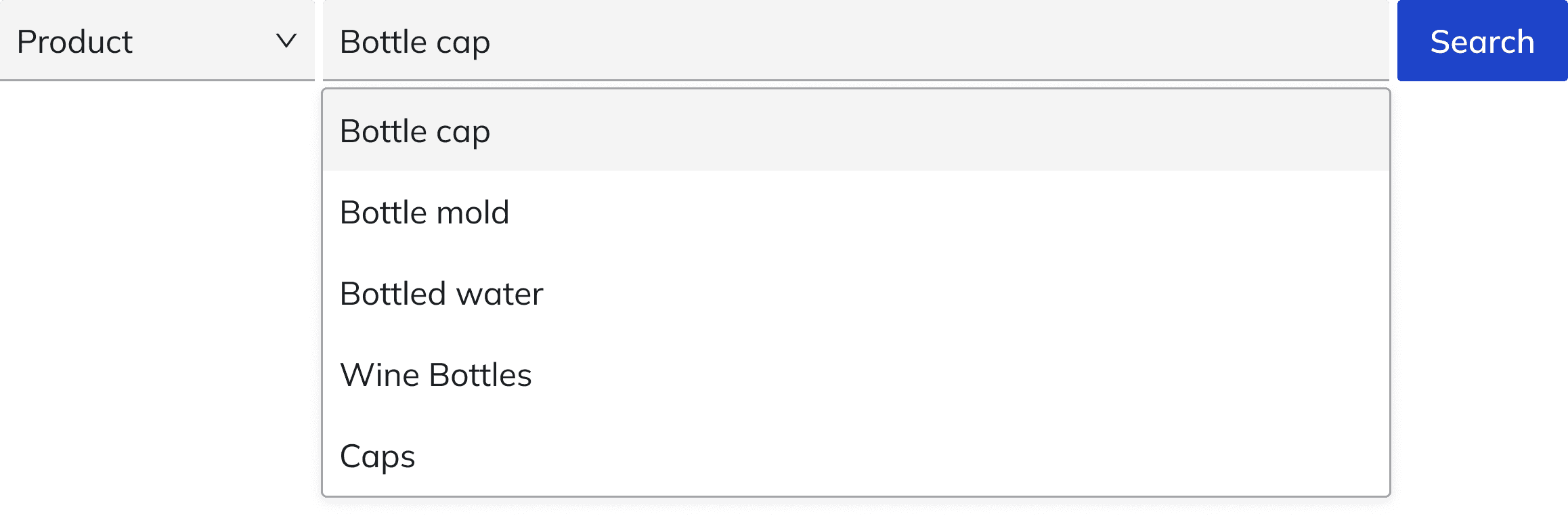
Allow multi-word prompting that gives back relevant suggestions aligned with complex purchaser specifications.
Prioritized sorting the search by the 3 main data categories users typically search by Products, Capabilities, and Certificates.
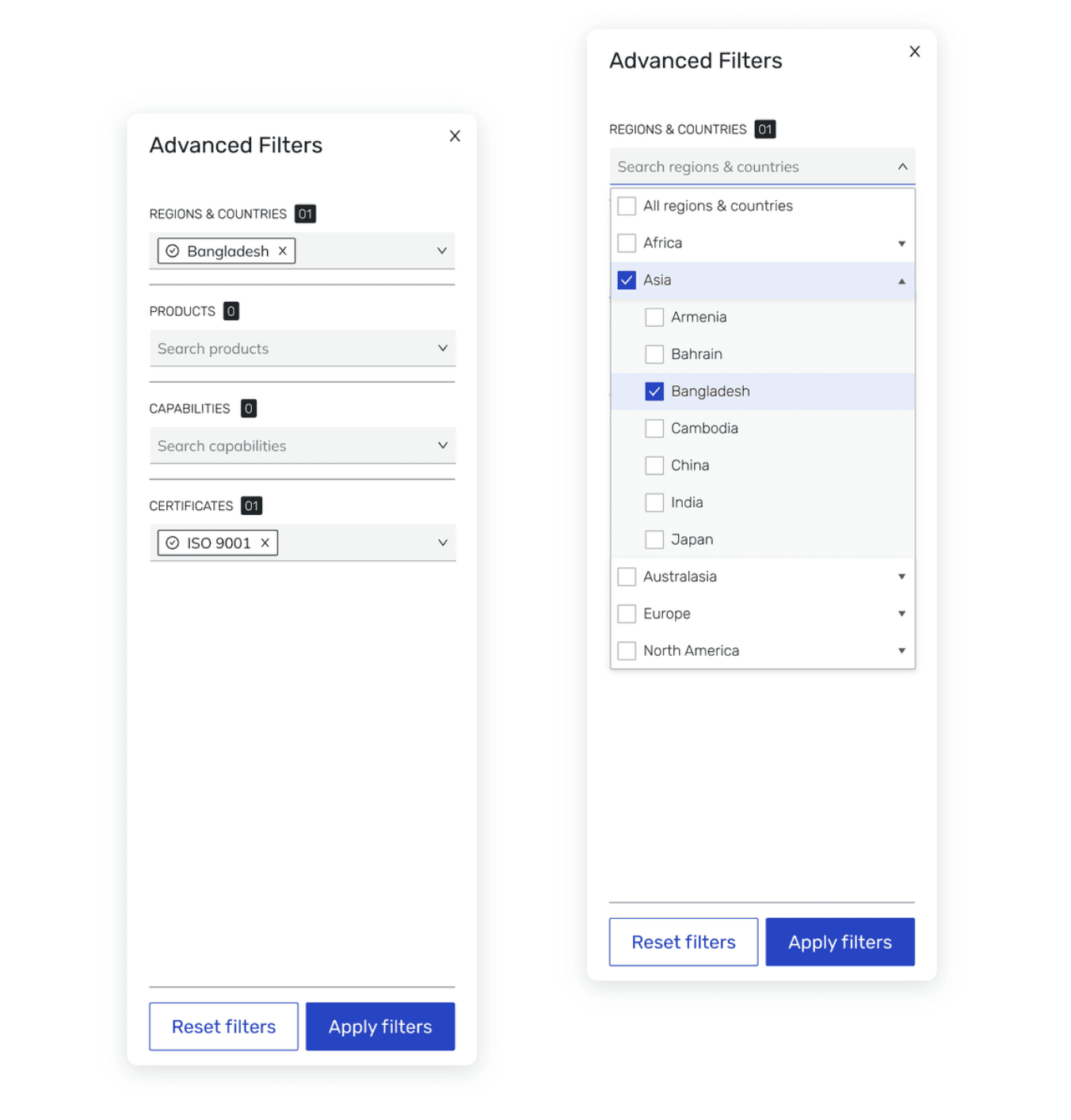
Deep and dynamic advanced filtering.
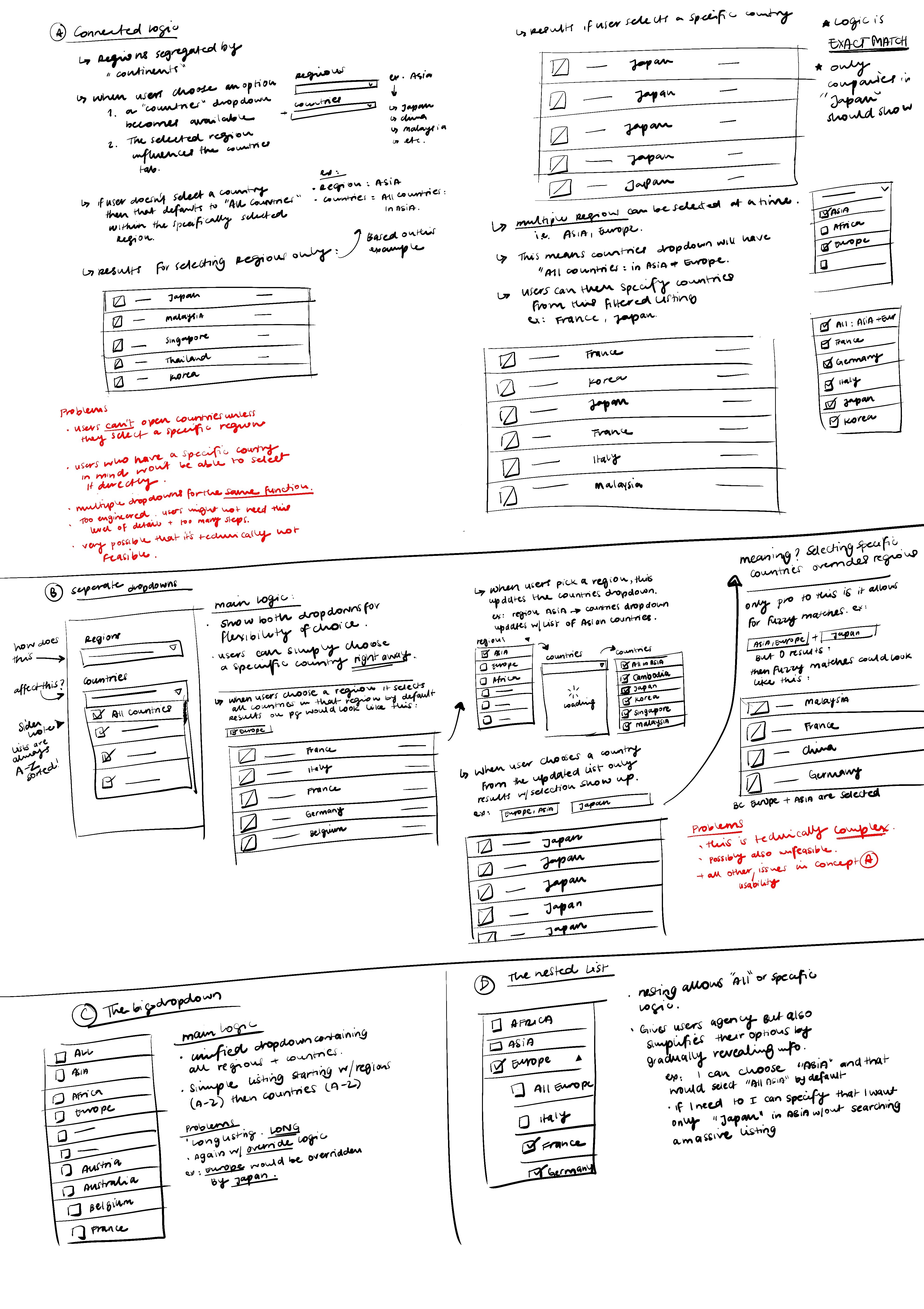
The next step was to introduce advanced filtering allowing for the possibility to:
Filter by and/or logic, to broaden or narrow search results which was valuable for users as data inconsistencies were common in procurement.
Contextualized the filter options for further depth using nested filters.
Search within the filters to help users navigate hundreds of options.
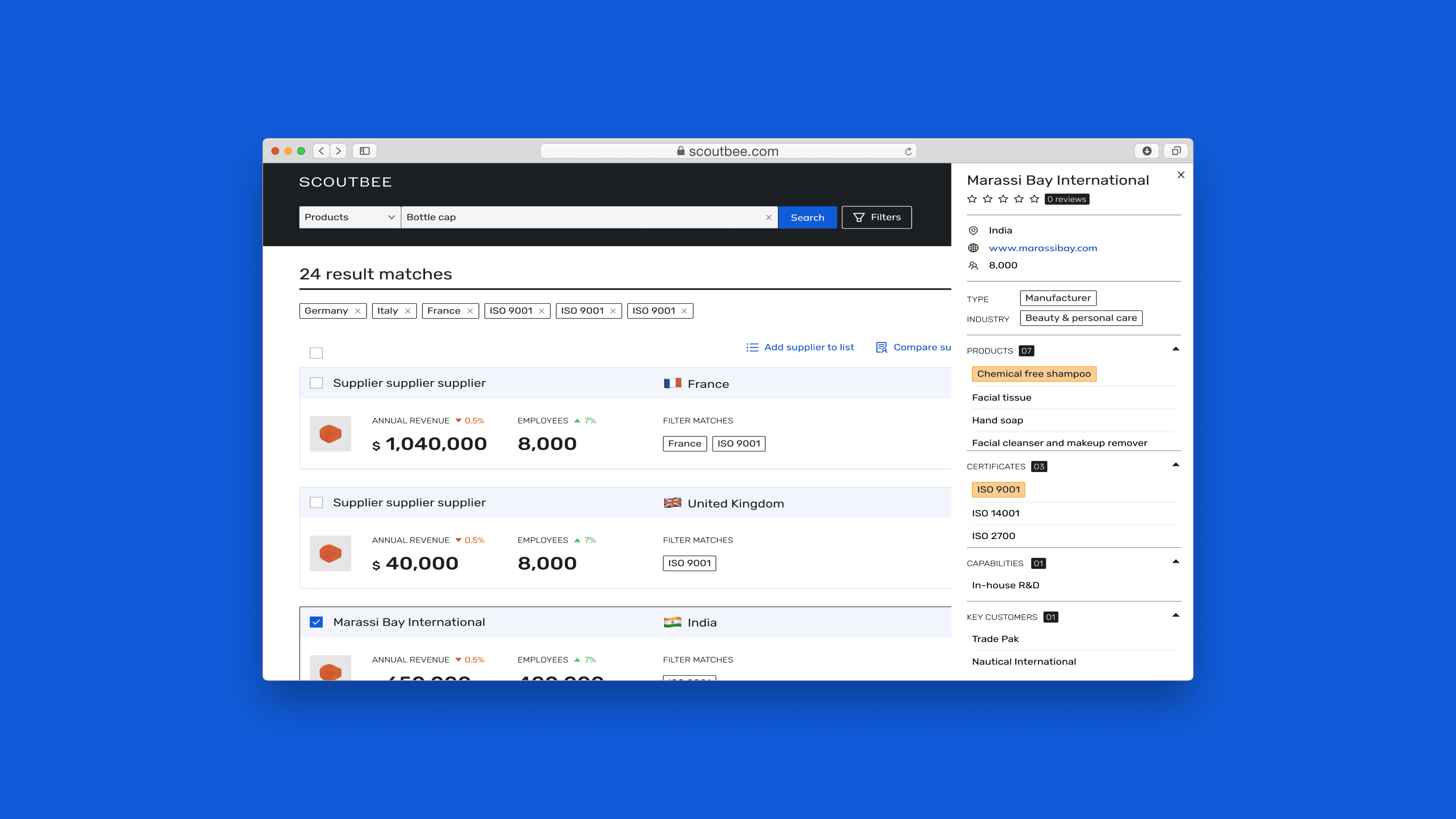
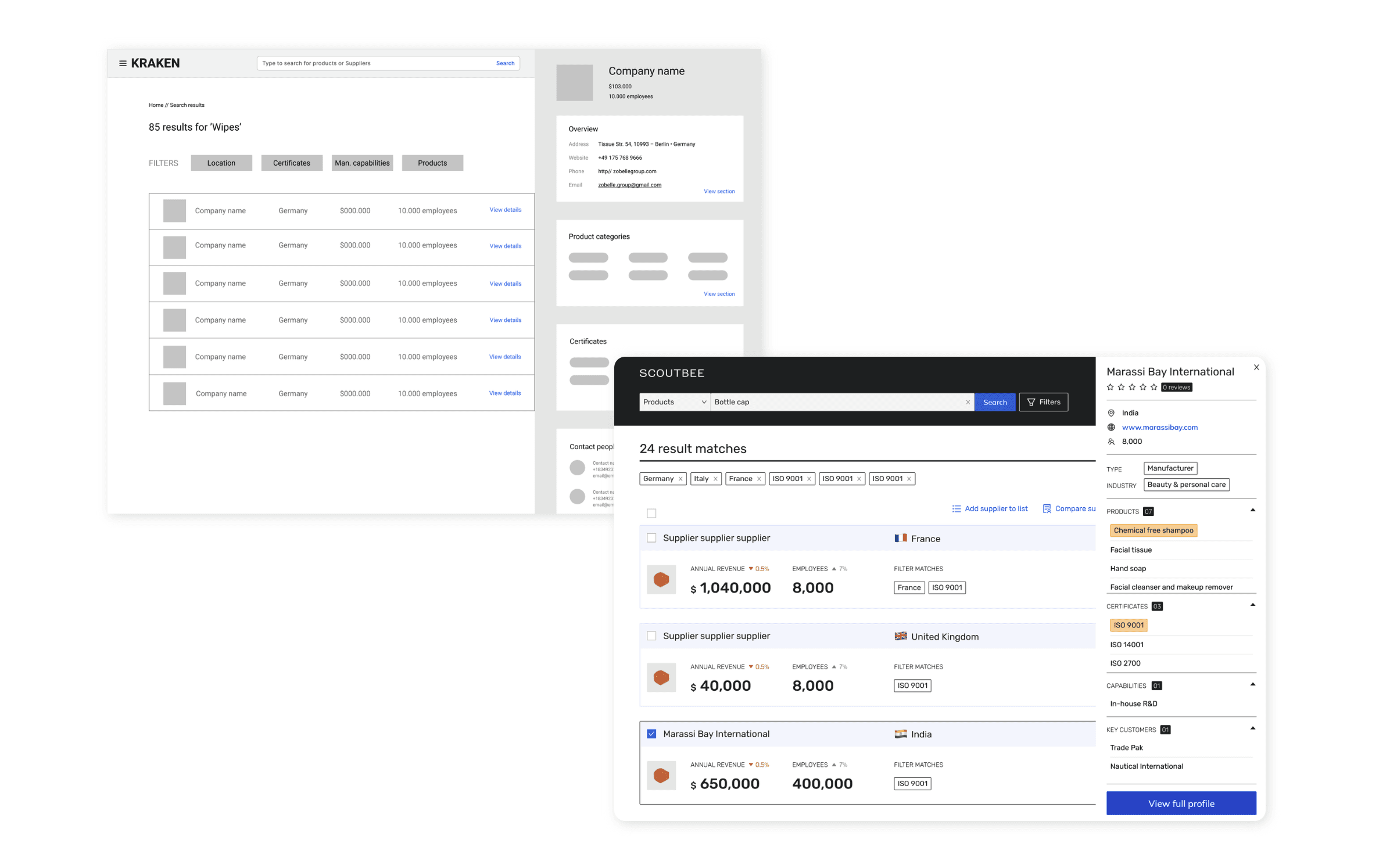
Supplier profile preview. Get the important info at a glance.
Finally we introduced a quick view mode to help users explore the fit of a supplier on the search page before committing to accessing the full profile. Using this mode allowed users could:
See the highlighted keyword(s) that caused the search match
Get a summary of other areas of interest such as products, capabilities, certificates.
This was done with the intention of reducing the amount of time spent surveying unsuitable profiles and to allow for scaling the feature down the line to allow for supplier comparison.
(Next steps)
Polishing the interface as the product rebrands.
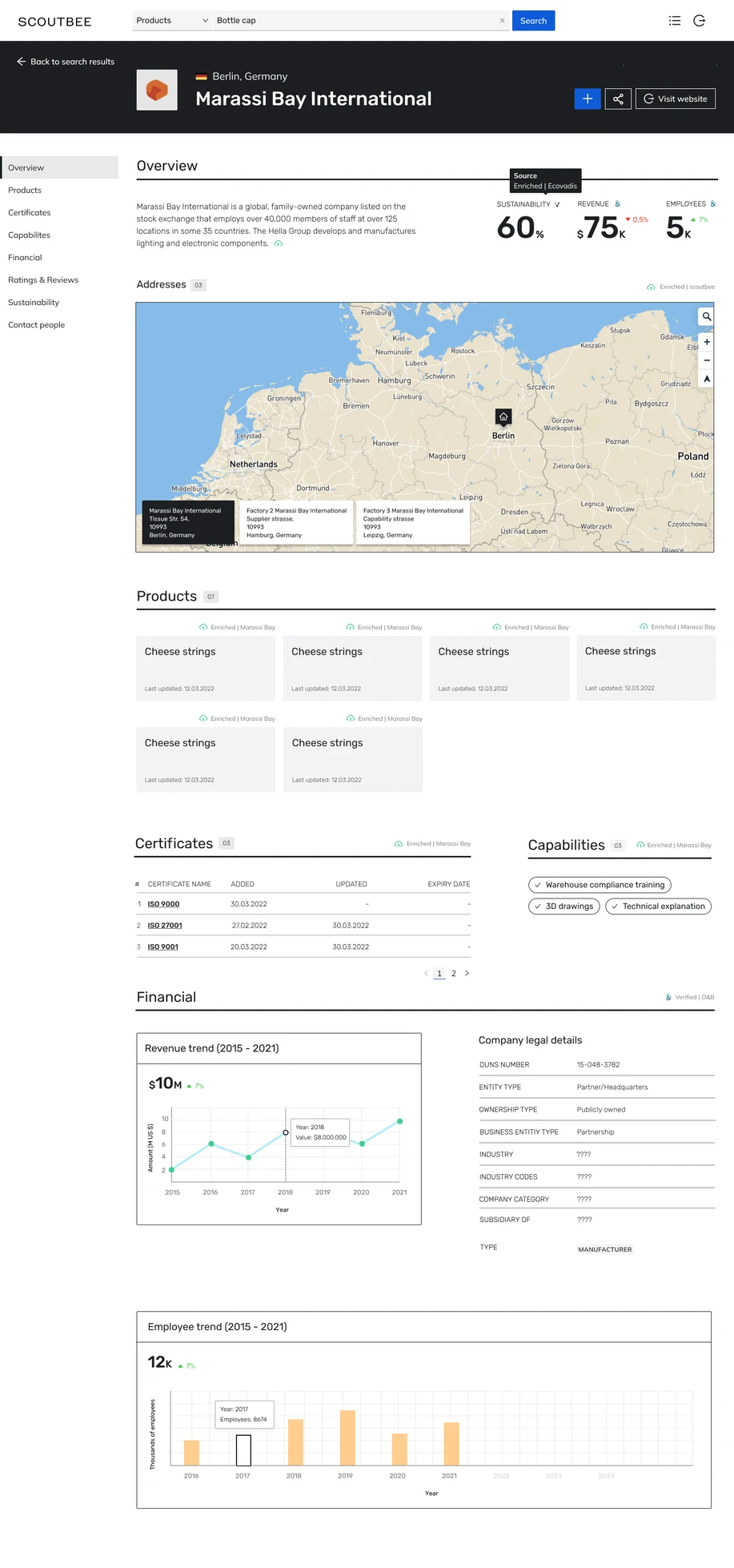
As we got closer to launch, our marketing team started a rebrand initiative. This gave the PD team an opportunity to refresh the UI bringing some much needed delightfulness to our platform.
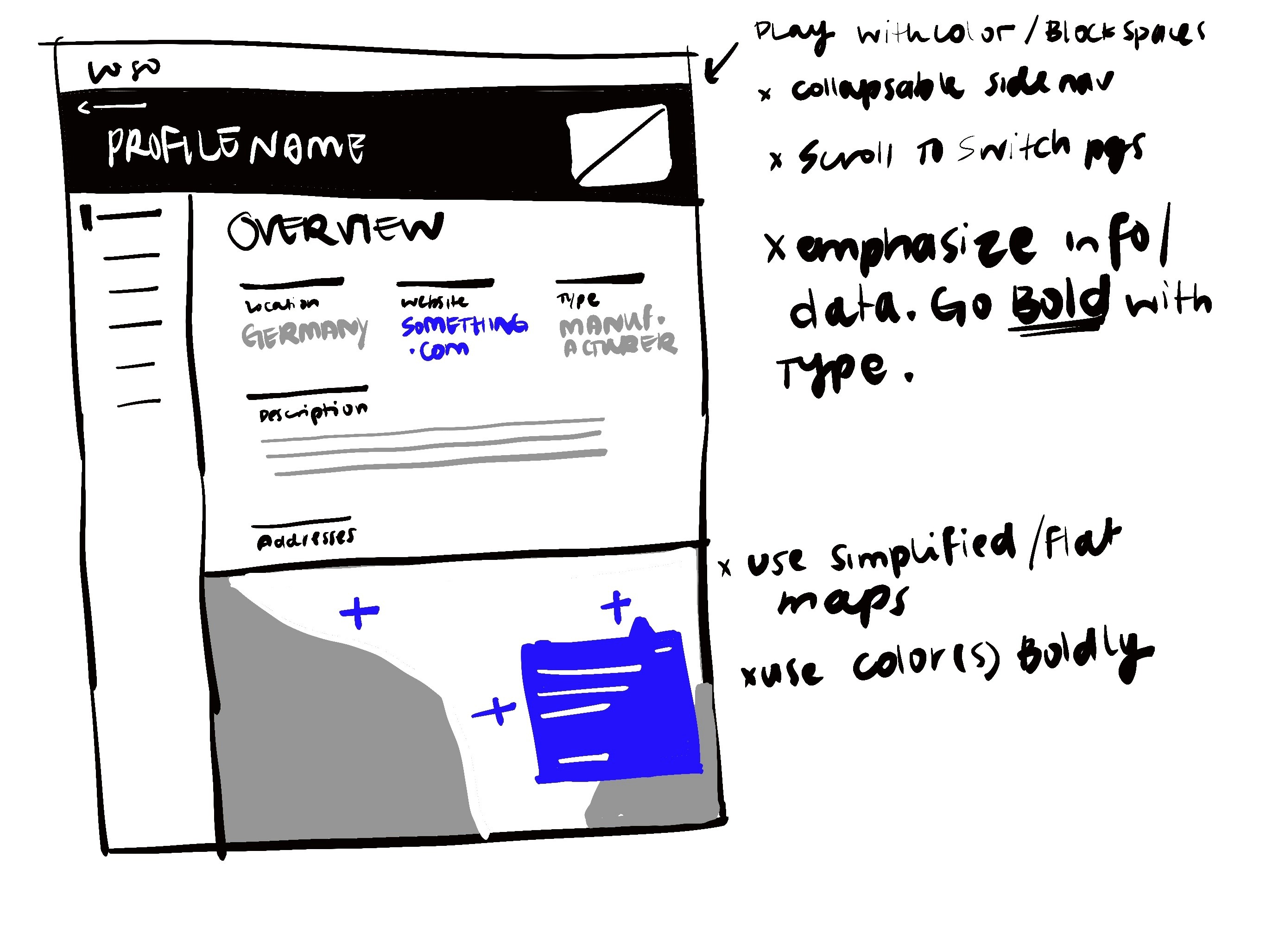
The team ran a design sprint, and my proposed concept got selected for further development. My top considerations were:
Segmenting the scattered data into more easily consumable sections
Reduce the dependency on text and visualize it to bring more clarity and visual diversity
So given the data heavy, text heavy nature of the old iterations, I pushed for strong, high contrast typography, data visualization, playing on typography and data visualization.
(Limitations & learnings)
The challenges we had in regards to timeframes for delivery constrained the time we had on hand to do many explorations. Since we had to make fast increments of deliveries, I had to accept that not all solutions can be explored in depth. In collaboration with my senior and UX researcher, exchanged the best possibilities we had, and tried to base off already learned solutions from previous versions of the platform.
We continued to validate these solutions with customers and kept frequent feedback cycles to catch issues early and iterate with improvements.
This method proved to be successful. Our team was eager to launch a successful product and our collaboration was top notch. We learned to work with the pressure, and fine tuned our internal rituals to work well with the 1 week sprints.